Explaining Testimonial Dashboards for Business Analysts

TL;DR:
- A testimonial dashboard centralizes customer feedback and uses analytics to enhance sales conversion. It tags, filters, and positions objection-specific testimonials at key buyer journey points. Regular data review and AI assistance improve relevance and drive revenue growth.
A testimonial dashboard is a centralized platform that collects, organizes, and analyzes customer testimonials so your team can deploy social proof with precision at every stage of the sales funnel. Unlike a simple review feed, a well-built testimonial dashboard applies buyer logic, metadata tagging, and performance analytics to turn raw customer feedback into a measurable sales asset. Products with at least 5 customer reviews see sales increase by 270% versus those without. That number alone tells you why explaining testimonial dashboards matters to any business analyst serious about conversion. Clareefai is built around exactly this principle: verified, contextual testimonials displayed at the right moment for the right prospect.
What are the key features of a testimonial dashboard?
A testimonial dashboard aggregates feedback from multiple sources into one place. That includes written reviews, video testimonials, case study excerpts, and star ratings pulled from email campaigns, landing pages, CRM records, and third-party review platforms. Without centralization, your best customer quotes sit scattered across inboxes and spreadsheets, invisible to the sales team that needs them most.
The features that separate a functional dashboard from a decorative one are:
- Multi-source collection: Pulls testimonials from web forms, email follow-ups, video interviews, and integrated review platforms into a single library.
- Metadata tagging by buyer logic: Tags each testimonial by industry, buyer role, use case, objection addressed, and measurable outcome. This is the engine behind relevance.
- Filtering and search: Lets visitors or sales reps find the testimonial that matches their exact situation. Buyer-logic filters such as challenge type, implementation time, and specific outcomes outperform internal category labels every time.
- Performance analytics: Tracks which testimonials get viewed, filtered, shared, and clicked. You see what works and what sits ignored.
- Platform integrations: Connects with CRM systems, marketing automation tools, and sales enablement platforms so testimonials surface automatically at key touchpoints.
Pro Tip: Tag every testimonial with the primary objection it addresses. A prospect worried about onboarding time needs a different testimonial than one worried about price. Tagging by objection is the single fastest way to improve testimonial relevance.
The goal of a testimonial dashboard overview is not just storage. It is active curation. You want your team to pull the right proof at the right moment, not scroll through a wall of five-star quotes hoping something fits.

How do testimonial dashboards improve relevance and conversion?
Generic testimonials fail because they speak to no one in particular. A quote that says “Great product, highly recommend!” gives a prospect nothing to hold onto. Objection-matched testimonials that address specific customer hesitations significantly outperform generic five-star reviews. The mechanism is simple: a prospect with a specific fear needs to see that someone exactly like them had that same fear and got past it.
Specificity is the variable that moves the needle. Numbers process faster in the human brain and are harder to dismiss as marketing copy. A testimonial that says “We cut onboarding time by 40% in the first month” lands harder than “The team was very helpful.” Quantified testimonial credibility is processed faster by prospects and harder to dismiss, making it a critical element in testimonial dashboard curation.
Placement matters as much as content. The best testimonial shown at the wrong moment in the buyer journey does little work.
- Place role-matched testimonials near sign-up forms and pricing pages.
- Surface outcome-specific quotes next to product feature descriptions.
- Use video testimonials on high-intent landing pages. Video testimonials can increase conversion rates by up to 29%.
- Avoid rotating carousels on critical decision pages. Carousels let visitors passively scroll past your best proof.
“The most powerful testimonials are not the most enthusiastic ones. They are the most specific ones. A prospect who sees their exact objection addressed by someone in their exact role stops hesitating. Generic praise just adds noise.”
Placing curated testimonials near the call-to-action reduces psychological barriers and increases conversion rates. Proof near product images or forms dramatically reduces friction. This is why testimonial placement is not a design decision. It is a sales decision.
The common pitfall is treating testimonials as decoration. A homepage carousel that rotates five quotes on a timer is not a testimonial strategy. It is a missed opportunity. Your dashboard should tell you which testimonials belong where, based on visitor behavior and conversion data.
What metrics can analysts derive from testimonial dashboards?
Understanding testimonial metrics is where business analysts add real value. A testimonial dashboard does not just display content. It generates data about how prospects interact with social proof, and that data shapes your next campaign.
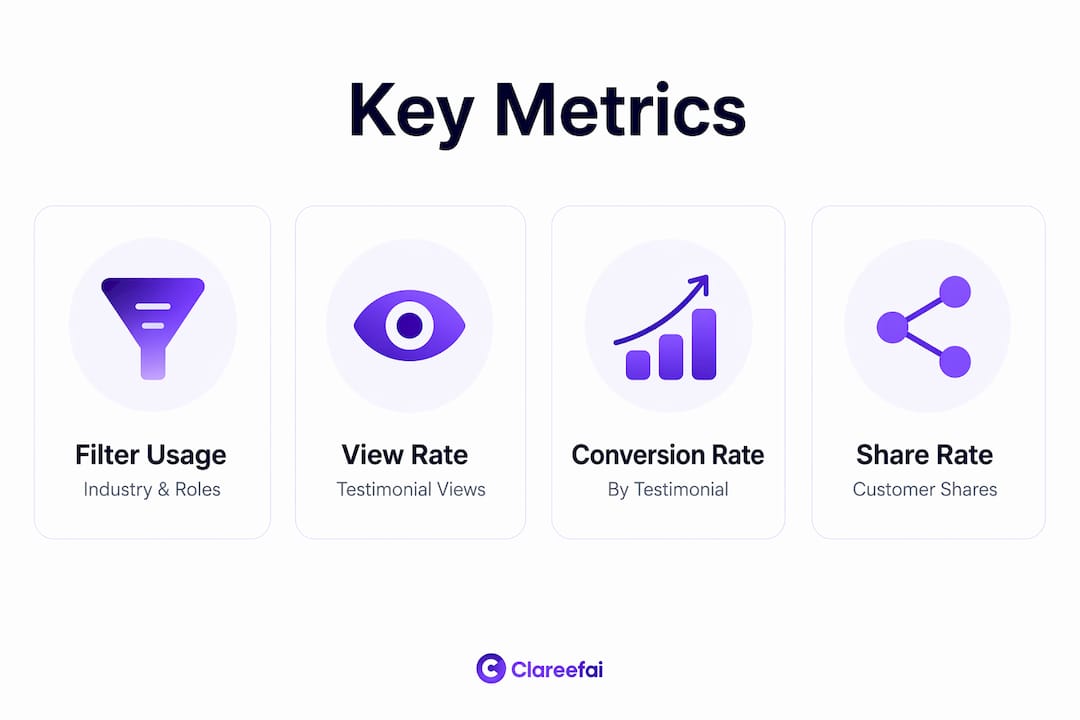
| Metric | What it tells you |
|---|---|
| Filter usage by category | Which industries, roles, or challenges your visitors care about most |
| Testimonial view rate | Which proof points attract attention and which get skipped |
| Conversion rate by testimonial | Which specific quotes correlate with form fills or demo requests |
| Share and save rate | Which testimonials resonate enough for prospects to forward internally |
| Time on testimonial page | How deeply engaged visitors are with your social proof library |
Analytics from testimonial dashboards can track which industries, roles, or outcomes visitors filter for most, directly informing your marketing focus. If your analytics show that 60% of visitors filter by “enterprise implementation,” you know to prioritize collecting more testimonials from enterprise customers who have completed implementation.
A/B testing is another underused capability. You can test a quantified testimonial against a narrative one on the same page and measure which drives more conversions. You can test video against text for the same use case. The dashboard becomes a feedback loop: data tells you what to collect next, and fresh testimonials feed better data back into the system.
Pro Tip: Set a monthly review of your top-performing testimonials by conversion rate. If the same three quotes drive most of your results, that is a signal to collect more testimonials that match that pattern, not to keep rotating the same library.
For analysts building testimonial reports for leadership, the most persuasive data point is conversion lift attributed to specific testimonials. Tie testimonial engagement to pipeline stages in your CRM, and you move the conversation from “nice to have” to “revenue driver.”
How to implement testimonial dashboards effectively
Adopting a testimonial dashboard works best when you follow a structured rollout. Here is a practical sequence that works for both marketing and sales teams.
-
Audit your current testimonial library. Catalog every testimonial you have, where it lives, and what format it takes. Identify gaps by buyer role, industry, and objection type. Most teams discover they have plenty of general praise and almost no objection-specific proof.
-
Define your metadata schema. Decide which tags matter for your buyer journey. Common fields include industry, company size, buyer role, primary objection addressed, measurable outcome, and product area. Align these tags with how your sales team actually qualifies and closes deals.
-
Set up filters based on buyer logic. Organize testimonial dashboards by challenge, implementation time, and specific outcomes rather than internal product categories. A prospect does not think in your product taxonomy. They think in their own problems.
-
Integrate with your sales and marketing stack. Connect the dashboard to your CRM, email platform, and sales enablement tools. Testimonial dashboards integrated with sales workflows empower teams to use social proof at key buyer journey points, addressing objections in real time.
-
Refresh your testimonial library on a regular cycle. Refreshing testimonials within 90 days is recommended for credibility and relevance. Stale proof signals to repeat visitors that your customer base is not growing or engaged.
-
Train your sales and marketing teams. A dashboard is only as useful as the people using it. Run a short training session showing reps how to pull the right testimonial for a specific prospect situation. Give them a quick reference guide organized by common objections.
The implementation phase is also when you establish your collection process. Build testimonial requests into your customer success workflows, post-onboarding surveys, and renewal conversations. The best time to ask for a testimonial is right after a customer achieves a measurable win. That is when specificity is highest and enthusiasm is genuine. For a deeper look at how video testimonials fit into a broader marketing strategy, the principles of visual storytelling apply directly to how you capture and present customer success on your dashboard.
Key Takeaways
A testimonial dashboard drives conversion when it organizes social proof by buyer logic, surfaces objection-matched quotes at key decision points, and uses analytics to continuously improve what gets collected and displayed.
| Point | Details |
|---|---|
| Buyer-logic tagging | Tag testimonials by objection, role, and outcome to match each prospect’s specific concerns. |
| Specificity over praise | Quantified testimonials process faster and convert better than generic five-star quotes. |
| Placement is a sales decision | Position curated testimonials near CTAs and forms to reduce friction at decision points. |
| Analytics close the loop | Track filter usage and conversion rates to identify which testimonials to collect next. |
| Refresh regularly | Update your testimonial library within 90-day cycles to maintain credibility with repeat visitors. |
What I have learned from watching testimonial dashboards succeed and fail
The most common mistake I see is treating a testimonial dashboard as a publishing tool rather than an analytical one. Teams spend weeks collecting quotes, building a beautiful library, and then never look at the data again. The dashboard becomes a digital trophy case. That is a waste.
The teams that get real results treat their testimonial dashboard the way a product team treats a feature backlog. They review what is performing, identify what is missing, and actively go collect the proof that fills the gap. If the analytics show that prospects in the healthcare sector filter for compliance-related outcomes but you have zero testimonials addressing compliance, that is your next collection priority. Not a design refresh.
The other mistake is confusing volume with quality. A library of 200 generic quotes is less useful than 30 highly specific, objection-matched testimonials with real numbers attached. I would rather have a prospect read one testimonial that says “We reduced our sales cycle by 3 weeks after switching” than scroll past 50 quotes that say “Excellent service.”
AI-driven platforms like Clareefai change the equation by automatically identifying which customers are most likely to give high-impact testimonials and surfacing the right proof for each visitor context. That kind of personalization is not possible with a static carousel or a spreadsheet. The future of testimonial management is dynamic, data-driven, and tied directly to revenue outcomes. The teams that build that capability now will have a compounding advantage over those still relying on hand-picked quotes.
— ClareefAi
How Clareefai puts testimonial dashboard management to work
Clareefai gives your sales and marketing teams a unified system to collect, verify, and publish customer testimonials across every channel where prospects make decisions.
The platform handles metadata tagging, audience targeting, and real-time analytics so your team always knows which testimonials are performing and which prospects they are reaching. Clareefai’s AI identifies your most impactful customer advocates and automatically surfaces their stories at the right buyer journey moment. Every testimonial is verified and GDPR-compliant, so your social proof carries weight with enterprise buyers. See how unified testimonial management translates directly into higher win rates and shorter sales cycles for B2B teams.
FAQ
What is a testimonial dashboard?
A testimonial dashboard is a centralized platform that collects, organizes, and analyzes customer testimonials. It uses metadata tagging and analytics to help businesses display the right social proof to the right prospect at the right time.
How do testimonial dashboards improve conversion rates?
Dashboards improve conversion by surfacing objection-matched, quantified testimonials near key decision points. Placing curated proof near calls-to-action reduces friction and builds trust faster than generic review feeds.
What metrics should analysts track in a testimonial dashboard?
Analysts should track filter usage by category, testimonial view rate, conversion rate by testimonial, and share rate. These metrics reveal which proof points drive pipeline and which need to be replaced or supplemented.
How often should testimonial content be refreshed?
Refreshing testimonials within 90 days is the recommended standard for maintaining credibility and relevance. Stale testimonials signal to repeat visitors that your customer base is not active or growing.
What makes a testimonial dashboard different from a basic review page?
A review page displays feedback passively. A testimonial dashboard actively filters, tags, and analyzes testimonials by buyer logic, enabling personalized social proof delivery and continuous performance optimization.